Proofroom

Proofing your clients actually finish.

Upload a shoot, send your client one link, and they heart the photos they want, with a counter for their package and the price of extras. You get the picks as file names to paste into Lightroom, then deliver the edited finals on the same page.

Start free See a client gallery
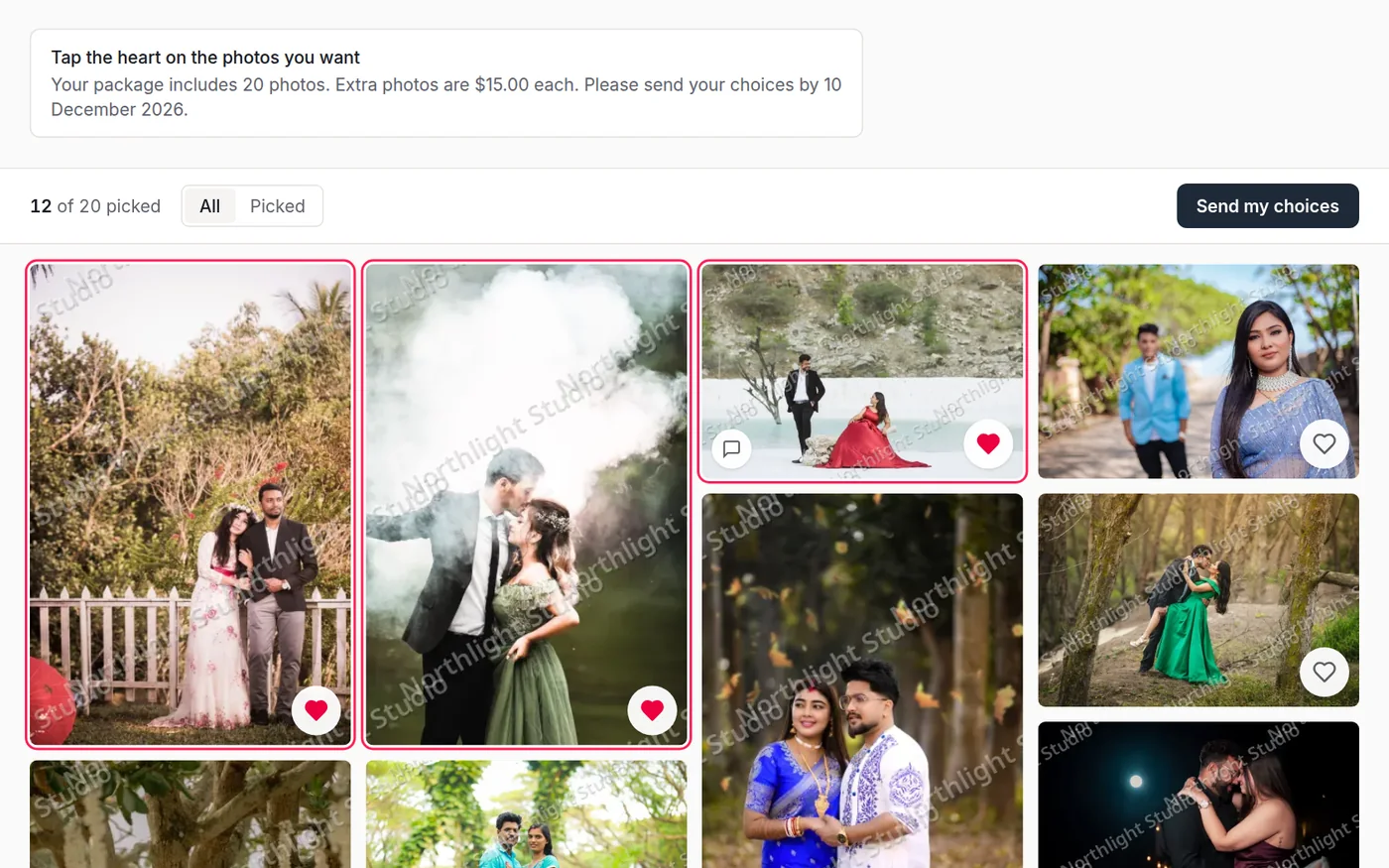
A client’s proofing gallery with hearted photos and the package counter

From shoot to delivery in three steps

  1. 1

    Upload the proofs

    Drag in the whole shoot. Large camera files go up in pieces, and every proof gets your watermark.

  2. 2

    Your client picks

    They open one link on their phone and heart their favourites. The counter shows the package and what extras cost.

  3. 3

    Edit and deliver

    Paste the file names into Lightroom, edit, upload the finals and deliver. The same page becomes their download page.

What the client sees

A clean gallery, a heart on every photo, and a counter that keeps the package in view. Notes on photos for retouching requests.
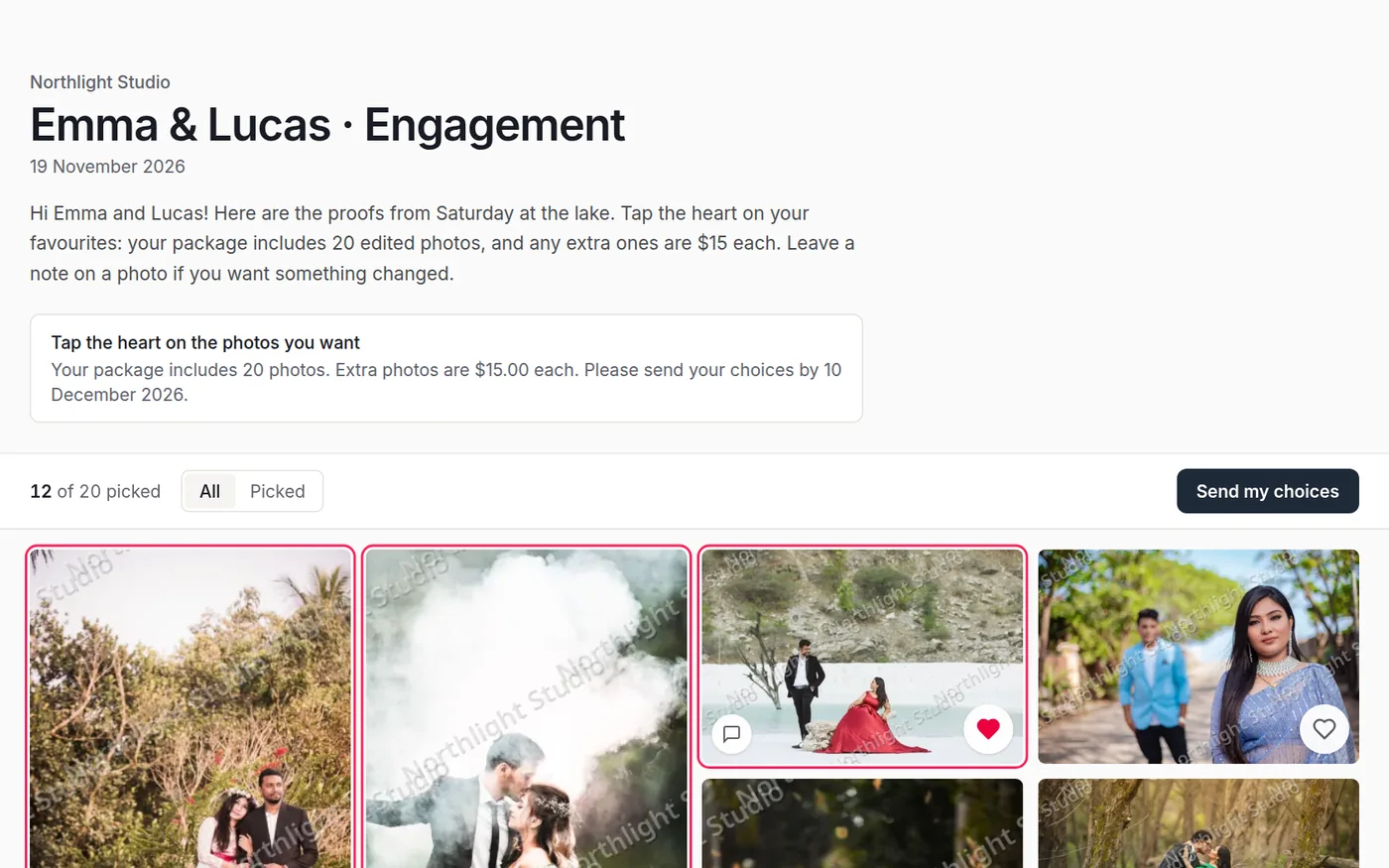
What the client sees

What you get back

Every pick, the client’s notes, the extras to charge for, and the file names ready to paste into your editing software.
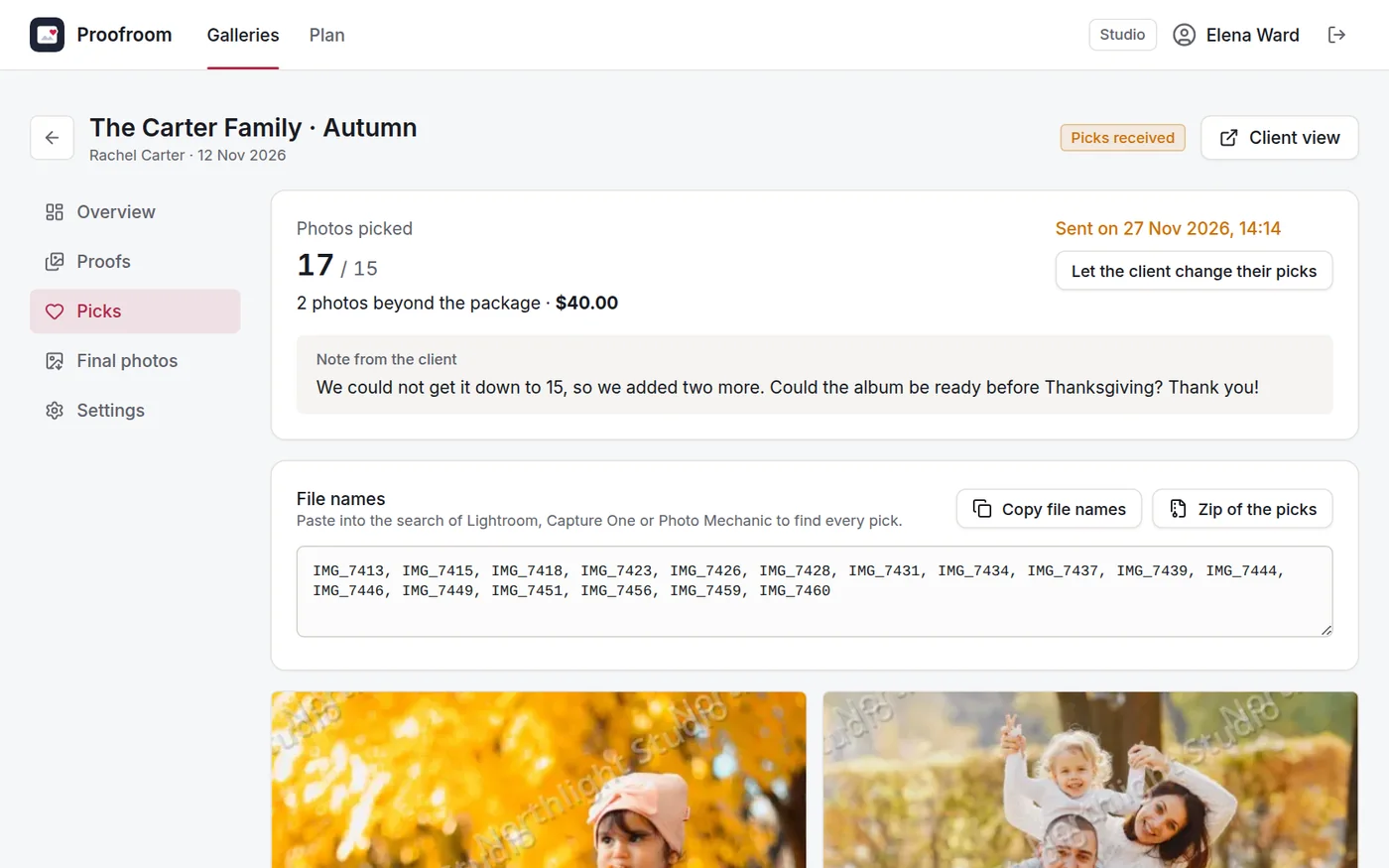
What you get back

Where every client stands

Draft, choosing, picks received, delivered: every gallery in one list, with who has not opened their link yet.
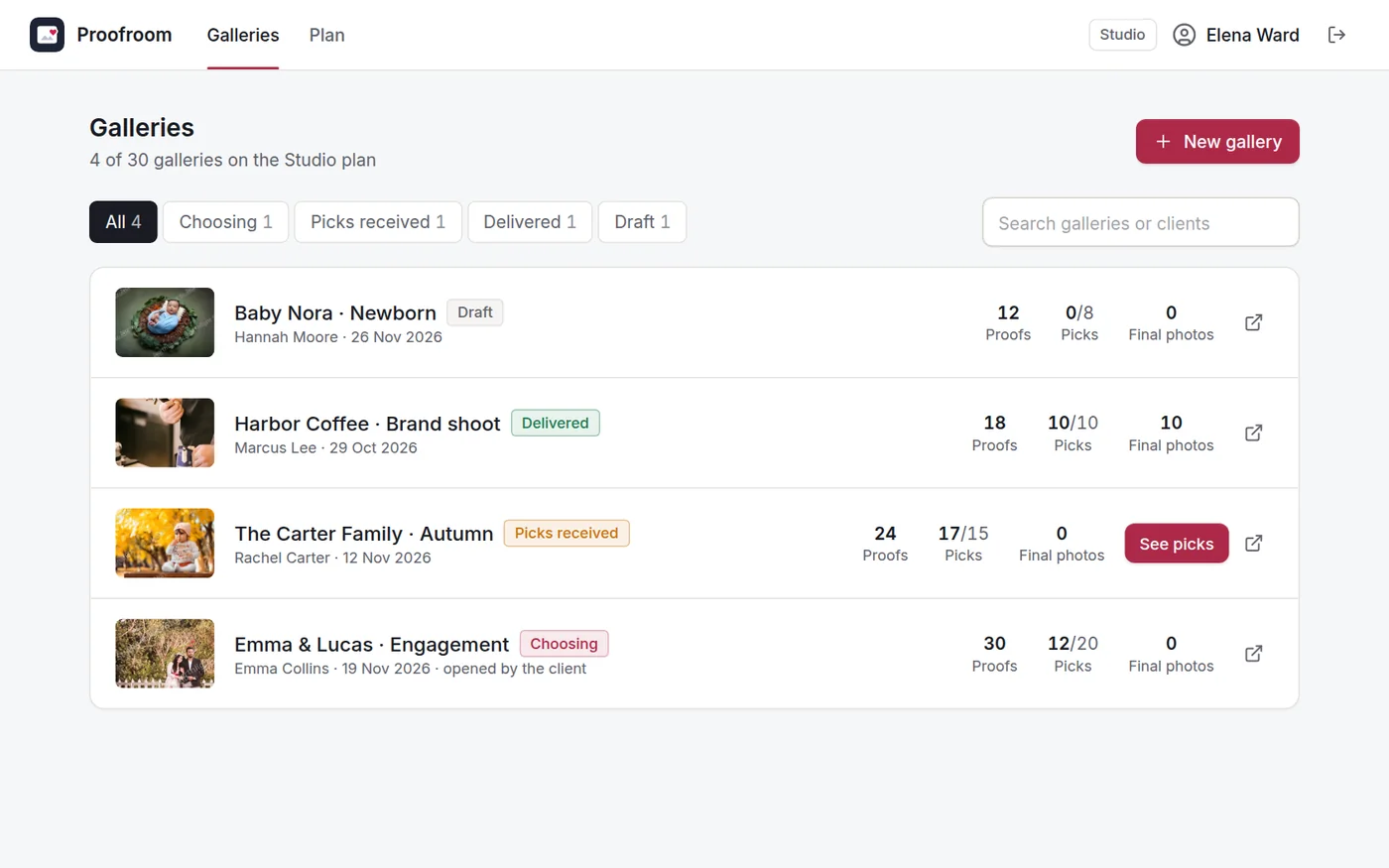
Where every client stands

Made for the way photographers work

Picks with a package
Set how many photos are included. Clients see their count, and the price of each extra photo when they go over.
File names for Lightroom
Copy the camera file names of every pick in one line and find them all in Lightroom, Capture One or Photo Mechanic.
Watermarked proofs
Your studio name across every proof, drawn into the image. Final photos are delivered clean.
Notes on photos
Clients ask for changes on the photo itself: “Could you soften the shadows here?”
Delivery on the same link
Upload the edited photos and deliver. Clients download them one by one or as one zip.
Access code and closing date
Add a code for private shoots, and a date after which picks are locked.

Simple pricing

Start free with a client or two. Move to a paid plan when proofing becomes part of every shoot.

Free

Free

Try it with a client or two.

  • 2 galleries at a time
  • 150 photos per gallery
  • 1 GB per gallery
  • Photos online for 30 days
Start free

Studio

$19 / month

A working photographer.

  • 30 galleries at a time
  • 1,500 photos per gallery
  • 20 GB per gallery
  • Photos online for 180 days
  • Clients download the final photos as one zip
  • Your own watermark text
  • No platform name on client pages
Start free

Pro

$39 / month

Busy studios and teams.

  • Unlimited galleries
  • Unlimited photos
  • 100 GB per gallery
  • Photos online for 365 days
  • Clients download the final photos as one zip
  • Your own watermark text
  • No platform name on client pages
Start free

Questions

Do clients need an account or an app?

No. They open the link you send, on any phone or computer, and tap a heart on the photos they want.

Can clients download the proofs?

No. Proofs show as watermarked copies only. The originals are kept for you, and clients download only the final photos you deliver.

How do I find the picks in Lightroom?

The Picks tab gives you the camera file names of every pick in one line. Paste it into the Lightroom library filter and every pick shows up.

What if a client wants more photos than the package?

Set a price per extra photo. The client sees how many extras they picked and the total, and the same numbers reach you with their picks.

Which languages do client pages come in?

English, Spanish and French, chosen for each gallery.

How long do photos stay online?

It depends on the plan: 30 days on Free, longer on paid plans. You get an email a week before a gallery’s photos are removed.

Your next client could pick their photos tonight.

Upload a shoot and send the link. It takes a few minutes.

Start free